Check RootsMagic Database Integrity #pragma #database #integrity

This page applies mainly to RootsMagic 4. RM5 incorporates the SQLite tools Integrity Check, Reindex, and Vacuum under the menu File > Database Tools > Test database integrity | Rebuild indexes | Compact database. However, it is not apparent that the Integrity Check is done automatically on start-up so users would be well advised to do it periodically. Now that there is an integral Integrity Check, we have learned that some modifications to the database using a SQLite manager having a substitute RMNOCASE collation results in index errors. Therefore, users of SQLite queries are warned:

  1. If using RM4, avoid queries that modify fields collated with RMNOCASE.
  2. If using RM5, reindex with the SQLIte manager before running the query; then reindex using RM5 before using it to make other changes to the database or major reports.

Why?

As of RootsMagic 4.0.8.4, there is no built-in mechanism to check the integrity of a RootsMagic database. Some users have encountered SQLite error messages while using RootsMagic, the most terrifying of which is SQLite Error 11 – Database disk image is malformed. It can render the database unusable, or, at best, only parts of it usable. The database has been corrupted in some way and may be undetected for months until some procedure causes the SQLite database engine to attempt to access the corrupted area. Ever since the corruption enters, RootsMagic backups faithfully preserve it. For a real example, read the discussion on the RootsMagic forum in the topic Corrupt Database, Backups & Recovery Therefrom. Had there been a convenient check of the integrity of the database used routinely, the corruption would have been caught much earlier. Corrective action could have been taken sooner and perhaps the cause identified, given a fresh memory of the events preceding. There is no reason why such an integrity check cannot be incorporated in the RootsMagic application on the opening of a database; that’s where it should be done. Until the software is upgraded to do so, there are tools that can be used outside RootsMagic 4 to validate the integrity of its SQLite databases.

How?

Jump right in by reading How to query RootsMagic which just happens to use one of the following SQL commands to carry out an integrity check. Make an integrity check an integral part of opening your database by following the outline in Check RootsMagic Database Integrity on Opening.

The SQLite database engine incorporates two SQL commands that carry out a more or less comprehensive integrity check. From the on-line manual:

  • PRAGMA integrity_check;
    PRAGMA integrity_check(integer)

This pragma does an integrity check of the entire database. It looks for out-of-order records, missing pages, malformed records, and corrupt indices. If any problems are found, then strings are returned (as multiple rows with a single column per row) which describe the problems. At most integer errors will be reported before the analysis quits. The default value for integer is 100. If no errors are found, a single row with the value “ok” is returned.

  • PRAGMA quick_check;
    PRAGMA quick_check(integer)

The pragma is like integrity_check except that it does not verify that index content matches table content. By skipping the verification of index content, quick_check is able to run much faster than integrity_check. Otherwise the two pragmas are the same.

These SQL command lines can be run by any SQLite manager against a RootsMagic database opened by the manager with one big exception: indices can only be checked if SQLite can access a collation sequence named RMNOCASE, a name and collation unique to RootsMagic and embedded in the application. Thus, PRAGMA integrity_check will fail unless the SQLite manager has the means to add a collation sequence so named. SharpPlus SQLite Developer (not the free version) is one that can. Of course, RootsMagic should be capable of doing this full test of integrity as it has the RMNOCASE collation.

That leaves the partial test, PRAGMA quick-check, as the one that we can use on RootsMagic database files with any SQLite manager. And this may suffice, because even an ’empty’ RootsMagic database is reported to have 13 missing rowid’s from index idxSourceTemplateName – ‘OK’ would never be an output from integrity_check.

Comparison of outputs for a corrupted RootsMagic database

PRAGMA integrity_check;PRAGMA quick_check;
On tree page 10429 cell 0: 2nd reference to page 16050
On tree page 4494 cell 112: 2nd reference to page 16050
On tree page 4494 cell 112: Child page depth differs
On tree page 4494 cell 113: Child page depth differs
On tree page 16048 cell 0: Rowid 2285 out of order (max larger than parent max of 800)
On tree page 11057 cell 3: Rowid 801 out of order (min less than parent min of 2285)
On tree page 10892 cell 0: 2nd reference to page 16050
On tree page 11617 cell 67: 2nd reference to page 16051
On tree page 11617 cell 67: Child page depth differs
On tree page 11617 cell 68: Child page depth differs
On tree page 11548 cell 0: 2nd reference to page 16045
On tree page 15783 cell 1: 2nd reference to page 16045
On tree page 12446 cell 53: 2nd reference to page 16048
On tree page 12446 cell 53: Child page depth differs
On tree page 12446 cell 54: Child page depth differs
Page 11154 is never used
Page 11155 is never used
Page 15429 is never used
Page 15430 is never used
Page 16054 is never used
Page 16055 is never used
Page 16056 is never used
Page 16057 is never used
rowid 55 missing from index idxSourceTemplateName
rowid 172 missing from index idxSourceTemplateName
rowid 190 missing from index idxSourceTemplateName
rowid 241 missing from index idxSourceTemplateName
rowid 296 missing from index idxSourceTemplateName
rowid 297 missing from index idxSourceTemplateName
rowid 326 missing from index idxSourceTemplateName
rowid 333 missing from index idxSourceTemplateName
rowid 345 missing from index idxSourceTemplateName
rowid 401 missing from index idxSourceTemplateName
rowid 21 missing from index idxSourceName
rowid 61 missing from index idxSourceName
rowid 63 missing from index idxSourceName
… cont’d for total of 1026 ‘rowid # missing…’
On tree page 10429 cell 0: 2nd reference to page 16050
On tree page 4494 cell 112: 2nd reference to page 16050
On tree page 4494 cell 112: Child page depth differs
On tree page 4494 cell 113: Child page depth differs
On tree page 16048 cell 0: Rowid 2285 out of order (max larger than parent max of 800)
On tree page 11057 cell 3: Rowid 801 out of order (min less than parent min of 2285)
On tree page 10892 cell 0: 2nd reference to page 16050
On tree page 11617 cell 67: 2nd reference to page 16051
On tree page 11617 cell 67: Child page depth differs
On tree page 11617 cell 68: Child page depth differs
On tree page 11548 cell 0: 2nd reference to page 16045
On tree page 15783 cell 1: 2nd reference to page 16045
On tree page 12446 cell 53: 2nd reference to page 16048
On tree page 12446 cell 53: Child page depth differs
On tree page 12446 cell 54: Child page depth differs
Page 11154 is never used
Page 11155 is never used
Page 15429 is never used
Page 15430 is never used
Page 16054 is never used
Page 16055 is never used
Page 16056 is never used
Page 16057 is never used

Discussions & comments from Wikispaces site


JP-RM

Why checking RM database integrity proved very useful

JP-RM
02 June 2010 14:23:30

In early April 2010 I suffered an “SQLite error 11 – database disk image is malformed”. Although never encountered before, all of a sudden practically any addition to my RM data resulted in this error. In addition it then proved impossible to shutdown RM unless I reverted to using the Windows Task Manager.

Given that my data had been built up over several years, the implications of this error were most worrying. What to do?

I had only just upgraded from RM 4.0.7.1 to 4.0.8.0, so this was the most obvious aspect to investigate. So I raised a problem report with RM support, and attempted to describe a sequence of actions that they could use to attempt to recreate the problem.

I soon found that by creating a new empty database and making a few basic data additions, I seemed to be able to recreate the problem at will. However RM support were not able to cause the problem when they attempted recreation.

In parallel, as a result of my appends on the RM forums, I became aware of this website and received offers of use of some of the tools referenced here to investigate my data. At that stage, this just showed that my database was indeed corrupted.

Holidays and other activity then intervened, but I was hoping that RM support would come up with something useful. Unfortunately, nothing was forthcoming even though there were other uses who were starting to report the same (or a similar) problem.

Then RM forum activity started to point to this problem only occurring when RM was used by those running Windows on an Apple Mac. To be more precise, those using Parallels for Mac to enable Windows (XP SP3 in my case) to run at the same time as the native Mac OS X operating system. AND when the RM data was stored in a folder that was accessible from both Windows and Mac applications.

At this stage it was time to investigate more closely. Using the quick_check function of SQLiteSpy, I developed a simple and repeatable sequence of RM actions on a new empty RM database and ran quick_check every time the database changed (identified by the Date Modified in Windows Explorer). This showed exactly when a first database integrity error was caused. I assumed that this would lead in due course to an SQLite error 11 (but did not bother to go so far).

I then changed to using folders on the base XP virtual C-drive (not shared with Mac applications), ran the test sequence again, and the problem did not re-occur.

I also re-installed RM 4.0.7.1 and redid the tests, with exactly the same result. The problem again occurred when using shared folders. So the change to RM 4.0.8.0 – or by then 4.0.8.4 – was not the cause.

At this stage I then went back through my Mac data archive (Time Machine) to check exactly when RM maintenance and Parallels maintenance was applied. Then looking at when I had taken RM backups (I always take at least one per RM usage session on exiting RM) and looking at their file sizes and using the SQL in RMGC_TablesRowCouunt.sql to investigate their restores, I concluded that the error occurred the first time I added any additional data to my database after upgrading Parallels in mid-March (even though it was by then early April).

A quick investigation of the Parallels website then showed that there was indeed a problem with shared folder support in the level of Parallels I had upgraded to in mid-March (5.0.9344). Not only that, a fix was available (http://kb.parallels.com/en/8296) and applying it resulted in the problem disappearing.

To conclude, the problem was caused by using Parallels 5 at level 5.0.9344 and only when sharing the data folders used by RM between Windows and Mac applications.


One additional area that I found useful was the following:

RM backups have a date/time in Windows Explorer of when they were created. However, when a backup is restored, and BEFORE any change is made to the data, the date/time displayed in Windows Explorer will be the last time the data was modified, which MAY be earlier, both in time and date, than when the backup was taken. In my case this proved to be very useful as it showed that the data had not been modified between backups taken on different days. (Some days I just invoke RM to answer email queries, such that I won’t actually change the data on that day. RM (well Windows) does not update the last modified date/time in such cases.


RWells1938

Database Coruption

RWells1938
20 June 2011 17:40:56

Has anyone used the sqlite vaccume to clean up a RM4 database? Will this fix problems?

If so what do I need to have in order to do this?

Thanks
Roger


ve3meo

ve3meo
20 June 2011 18:08:30

VACUUM could repair corruption of an index, as would REINDEX. Vacuum also would return file space to the OS for other uses if a database has undergone many changes and deletions.

Unfortunately, VACUUM and REINDEX cannot be done without SQLite having access to all collation sequences used by the db indexes. What’s missing from all SQLite managers is the RMNOCASE collation sequence, proprietary and secret to RM4. I have successfully done both using SQLite Developer and renaming one of the Unicode collations but I don’t know if that may result in some downstream risk.

We need to keep urging Bruce and RootsMagic to incorporate VACUUM and REINDEX as user options. If they would provide a SQLite user interface within the program, those PRAGMA commands should automatically become accessible.


RWells1938

re: Database Coruption

RWells1938
20 June 2011 18:58:44

If I use a gedcom export and then import the gedcom what should I look for as possible data loss?

Roger


ve3meo

ve3meo
20 June 2011 19:51:21

If the database is corrupted, the export may fail; if it does not fail, I cannot predict if there would be any data loss due to corruption. OTOH, a RM4 GEDCOM export/import or a drag’n’drop is not yet perfectly transparent – there remain some subtle and not-so-subtle losses even if the database file is uncorrupted. Cannot say completely, but, as of 4.1.1.4, white space at the end of Notes is lost and there may be some issues yet with custom sentences, roles, …

Tom

Bundled Utilities Project Name #application

I like this:

RMtrix.png
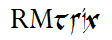
RMtrix has a magical element to it in the sound alike to “tricks” with an appropriate implication as to what the software does – it carries out tricks on the RootsMagic database. Also can work as an acronym: RM obviously, tools or tricks, repairs, information, experiments or an algebraic unknown variable, x, or extras or external.
Combines a Perpetua font for “RM” similar to the current RootsMagic font followed by “trix” in the PR Celtic Narrow font.

Poll

What do you think? Vote in the poll. I picked out 10, the limit for a free poll, vote for any three or your own suggestion. Other voted suggestions, so far, are RMAlchemy, RMelixir and RM Utilities. If you like any of those, type it into Other.

If the poll does not show up on this page, you can to it directly at http://poll.fm/3gvet .

We need a good project name. One that will stick for as long as the project lasts. It needs to be tie into RootsMagic and have some buzz, not mundane like “RMtools”, although that’s pretty self-explanatory. I’m big on spinning off from the magical part of RootsMagic and its author, the RootsMagician, having named my local interest group, “The RootsMagic Wizards Guild”. In that spirit, I came up with this list of ideas:

Project NameSome definitions below from: http://www.neatorama.com/2009/01/14/magic-words-a-dictionary/ , others from Wiktionary et al.
RMabbazabba!A (abba) to Z (zabba), the alpha and omega
RMabracadabra!
RMalakazam!
RMexcelsior!Latin for ‘ever upward’
RMgaldorOld English form of Old Norse ‘galdr’ for ‘spell, incantation’, pl ‘galdrar’.
RMharrahya!likened to the shout of a martial artist delivering a knifehand strike, focusing power toward an amazing conclusion
RMinspiratumLatin for ‘inspired’
RMmatba!Found in 18th-century Kabbalistic treatises, matba is a magic word for obtaining small coins. It literally means “bring forth.”
RMpotions
RMpresto!
RMshazaam!
RMspells
RMsplz
RMta-da!
RMvividumLatin for ‘alive, vigorous’
RMvoilà!
RMwands
RMwiz
RMwizards

I rather like the way RMalakazam! rolls off the tongue with a little rhyme on the m’s; so does RMinspiratum, with a nice meaning. RMta-da! is succinct and punchy; also punchy is RMshazaam!

Version Monitoring #database #databaseproperties #datadefinitions

The database documentation was done largely on RootsMagic version 4.0.7.1. As far as we can tell, the database schema has not changed, as of version 4.1.2.1. Changes may be detected by opening a database created by each version with a SQLite manager; then exporting either a query of the full sqlite_master table or the database schema (just the SQL field of that table wrapped in a transaction) and comparing the exports from each version using a text editor that has a compare function (e.g. Notepad++).

The page Database System Catalog is the full sqlite_master table from 4.0.7.1, sorted by the tbl_name field.

For future comparisons, below is the schema from 4.0.8.4, downloadable from Empty4084Schema.sql and that of 4.1.2.1: Empty4121Schema.sql.

BEGIN TRANSACTION;
CREATE TABLE AddressLinkTable (LinkID INTEGER PRIMARY KEY, OwnerType INTEGER, AddressID INTEGER, OwnerID INTEGER, AddressNum INTEGER, Details TEXT );
CREATE TABLE AddressTable (AddressID INTEGER PRIMARY KEY, AddressType INTEGER, Name TEXT COLLATE RMNOCASE, Street1 TEXT, Street2 TEXT, City TEXT, State TEXT, Zip TEXT, Country TEXT, Phone1 TEXT, Phone2 TEXT, Fax TEXT, Email TEXT, URL TEXT, Latitude INTEGER, Longitude INTEGER, Note BLOB );
CREATE TABLE ChildTable (RecID INTEGER PRIMARY KEY, ChildID INTEGER, FamilyID INTEGER, RelFather INTEGER, RelMother INTEGER, ChildOrder INTEGER, IsPrivate INTEGER, ProofFather INTEGER, ProofMother INTEGER, Note BLOB );
CREATE TABLE CitationTable (CitationID INTEGER PRIMARY KEY, OwnerType INTEGER, SourceID INTEGER, OwnerID INTEGER, Quality TEXT, IsPrivate INTEGER, Comments BLOB, ActualText BLOB, RefNumber TEXT, Flags INTEGER, FIELDS BLOB );
CREATE TABLE ConfigTable (RecID INTEGER PRIMARY KEY, RecType INTEGER, Title TEXT, DataRec BLOB );
CREATE TABLE EventTable (EventID INTEGER PRIMARY KEY, EventType INTEGER, OwnerType INTEGER, OwnerID INTEGER, FamilyID INTEGER, PlaceID INTEGER, SiteID INTEGER, DATE TEXT, SortDate INTEGER, IsPrimary INTEGER, IsPrivate INTEGER, Proof INTEGER, STATUS INTEGER, EditDate FLOAT, Sentence BLOB, Details BLOB, Note BLOB );
CREATE TABLE ExclusionTable (RecID INTEGER PRIMARY KEY, ExclusionType INTEGER, ID1 INTEGER, ID2 INTEGER );
CREATE TABLE FactTypeTable (FactTypeID INTEGER PRIMARY KEY, OwnerType INTEGER, Name TEXT COLLATE RMNOCASE, Abbrev TEXT, GedcomTag TEXT, UseValue INTEGER, UseDate INTEGER, UsePlace INTEGER, Sentence BLOB, Flags INTEGER );
CREATE TABLE FamilyTable (FamilyID INTEGER PRIMARY KEY, FatherID INTEGER, MotherID INTEGER, ChildID INTEGER, HusbOrder INTEGER, WifeOrder INTEGER, IsPrivate INTEGER, Proof INTEGER, SpouseLabel INTEGER, FatherLabel INTEGER, MotherLabel INTEGER, Note BLOB );
CREATE TABLE GroupTable (RecID INTEGER PRIMARY KEY, GroupID INTEGER, StartID INTEGER, EndID INTEGER );
CREATE TABLE LabelTable (LabelID INTEGER PRIMARY KEY, LabelType INTEGER, LabelValue INTEGER, LabelName TEXT COLLATE RMNOCASE, Description TEXT );
CREATE TABLE LinkTable (LinkID INTEGER PRIMARY KEY, extSystem INTEGER, LinkType INTEGER, rmID INTEGER, extID TEXT, Modified INTEGER, extVersion TEXT, extDate FLOAT, STATUS INTEGER, Note BLOB );
CREATE TABLE MediaLinkTable (LinkID INTEGER PRIMARY KEY, MediaID INTEGER, OwnerType INTEGER, OwnerID INTEGER, IsPrimary INTEGER, Include1 INTEGER, Include2 INTEGER, Include3 INTEGER, Include4 INTEGER, SortOrder INTEGER, RectLeft INTEGER, RectTop INTEGER, RectRight INTEGER, RectBottom INTEGER, Note TEXT, Caption TEXT COLLATE RMNOCASE, RefNumber TEXT COLLATE RMNOCASE, DATE TEXT, SortDate INTEGER, Description BLOB );
CREATE TABLE MultimediaTable (MediaID INTEGER PRIMARY KEY, MediaType INTEGER, MediaPath TEXT, MediaFile TEXT COLLATE RMNOCASE, URL TEXT, Thumbnail BLOB );
CREATE TABLE NameTable (NameID INTEGER PRIMARY KEY, OwnerID INTEGER, Surname TEXT COLLATE RMNOCASE, Given TEXT COLLATE RMNOCASE, Prefix TEXT COLLATE RMNOCASE, Suffix TEXT COLLATE RMNOCASE, Nickname TEXT COLLATE RMNOCASE, NameType INTEGER, DATE TEXT, SortDate INTEGER, IsPrimary INTEGER, IsPrivate INTEGER, Proof INTEGER, EditDate FLOAT, Sentence BLOB, Note BLOB, BirthYear INTEGER, DeathYear INTEGER );
CREATE TABLE PersonTable (PersonID INTEGER PRIMARY KEY, UniqueID TEXT, Sex INTEGER, EditDate FLOAT, ParentID INTEGER, SpouseID INTEGER, Color INTEGER, Relate1 INTEGER, Relate2 INTEGER, Flags INTEGER, Living INTEGER, IsPrivate INTEGER, Proof INTEGER, Bookmark INTEGER, Note BLOB );
CREATE TABLE PlaceTable (PlaceID INTEGER PRIMARY KEY, PlaceType INTEGER, Name TEXT COLLATE RMNOCASE, Abbrev TEXT, Normalized TEXT, Latitude INTEGER, Longitude INTEGER, LatLongExact INTEGER, MasterID INTEGER, Note BLOB );
CREATE TABLE ResearchTable (TaskID INTEGER PRIMARY KEY, TaskType INTEGER, OwnerID INTEGER, OwnerType INTEGER, RefNumber TEXT, Name TEXT COLLATE RMNOCASE, STATUS INTEGER, Priority INTEGER, Date1 TEXT, Date2 TEXT, Date3 TEXT, SortDate1 INTEGER, SortDate2 INTEGER, SortDate3 INTEGER, Filename TEXT, Details BLOB );
CREATE TABLE RoleTable (RoleID INTEGER PRIMARY KEY, RoleName TEXT COLLATE RMNOCASE, EventType INTEGER, RoleType INTEGER, Sentence TEXT );
CREATE TABLE SourceTable (SourceID INTEGER PRIMARY KEY, Name TEXT COLLATE RMNOCASE, RefNumber TEXT, ActualText TEXT, Comments TEXT, IsPrivate INTEGER, TemplateID INTEGER, FIELDS BLOB );
CREATE TABLE SourceTemplateTable (TemplateID INTEGER PRIMARY KEY, Name TEXT COLLATE RMNOCASE, Description TEXT, Favorite INTEGER, Category TEXT, Footnote TEXT, ShortFootnote TEXT, Bibliography TEXT, FieldDefs BLOB );
CREATE TABLE WitnessTable (WitnessID INTEGER PRIMARY KEY, EventID INTEGER, PersonID INTEGER, WitnessOrder INTEGER, ROLE INTEGER, Sentence TEXT, Note BLOB, Given TEXT COLLATE RMNOCASE, Surname TEXT COLLATE RMNOCASE, Prefix TEXT COLLATE RMNOCASE, Suffix TEXT COLLATE RMNOCASE );
CREATE INDEX idxAddressName ON AddressTable (Name);
CREATE INDEX idxChildFamilyID ON ChildTable (FamilyID);
CREATE INDEX idxChildID ON ChildTable (ChildID);
CREATE INDEX idxChildOrder ON ChildTable (ChildOrder);
CREATE INDEX idxCitationOwnerID ON CitationTable (OwnerID);
CREATE INDEX idxCitationSourceID ON CitationTable (SourceID);
CREATE UNIQUE INDEX idxExclusionIndex ON ExclusionTable (ExclusionType, ID1, ID2);
CREATE INDEX idxFactTypeAbbrev ON FactTypeTable (Abbrev);
CREATE INDEX idxFactTypeGedcomTag ON FactTypeTable (GedcomTag);
CREATE INDEX idxFactTypeName ON FactTypeTable (Name);
CREATE INDEX idxFamilyFatherID ON FamilyTable (FatherID);
CREATE INDEX idxFamilyMotherID ON FamilyTable (MotherID);
CREATE INDEX idxGiven ON NameTable (Given);
CREATE INDEX idxLabelType ON LabelTable (LabelType);
CREATE INDEX idxLinkExtId ON LinkTable (extID);
CREATE INDEX idxLinkRmId ON LinkTable (rmID);
CREATE INDEX idxMediaCaption ON MediaLinkTable (Caption);
CREATE INDEX idxMediaFile ON MultimediaTable (MediaFile);
CREATE INDEX idxMediaOwnerID ON MediaLinkTable (OwnerID);
CREATE INDEX idxMediaURL ON MultimediaTable (URL);
CREATE INDEX idxNameOwnerID ON NameTable (OwnerID);
CREATE INDEX idxNamePrimary ON NameTable (IsPrimary);
CREATE INDEX idxOwnerDate ON EventTable (OwnerID,SortDate);
CREATE INDEX idxOwnerEvent ON EventTable (OwnerID,EventType);
CREATE INDEX idxPlaceAbbrev ON PlaceTable (Abbrev);
CREATE INDEX idxPlaceName ON PlaceTable (Name);
CREATE INDEX idxRecType ON ConfigTable (RecType);
CREATE INDEX idxResearchName ON ResearchTable (Name);
CREATE INDEX idxResearchOwnerID ON ResearchTable (OwnerID);
CREATE INDEX idxRoleEventType ON RoleTable (EventType);
CREATE INDEX idxSourceName ON SourceTable (Name);
CREATE INDEX idxSourceTemplateName ON SourceTemplateTable (Name);
CREATE INDEX idxSurname ON NameTable (Surname);
CREATE INDEX idxSurnameGiven ON NameTable (Surname, Given, BirthYear, DeathYear);
CREATE INDEX idxWitnessEventID ON WitnessTable (EventID);
CREATE INDEX idxWitnessPersonID ON WitnessTable (PersonID);
Commit TRANSACTION;

Source Templates by Origin #sourcetemplates

Results of the query shown below for a database from RM v8.1.8.0 and available in this Google Sheets: SourceTemplatesByCategory (updated 2022-04-28 for RM8).

CategoryNameInRM4?
[AQS inside left]Article, online (unsigned)Y
[AQS, inside left]Article, online archive (print publication)Y
[AQS, Front]Basic Ancestry Database TemplateY
[AQS, Front]Basic Ancestry Images TemplateY
[AQS inside left]Book, database extractions (online)Y
[AQS inside left]Census, U.S. Federal, 1890 Substitute (online)Y
[AQS inside left]Directories (City or County) (databases, online)Y
[AQS inside left]Directories (City or County) (images, online)Y
[AQS inside right]Family Trees, DocumentedY
[AQS inside right]Family Trees, UndocumentedY
[AQS inside right]Immigration-Emigration Rolls, DatabasesY
[AQS inside right]Immigration-Emigration Rolls, ImagesY
[AQS, back cover]Newspaper, ImagesY
[AQS back cover]PERSI DatabaseY
[based on EE, sec 7.32, p 346-7]New FamilySearch, online databaseY
[CYS, p 59-63]Census Record (U.S.)Y
[CYS, p 71-73]Church RecordsY
[CYS, p 68]Civil Vital RecordsY
[CYS, p 69-71]Courthouse RecordsY
[CYS, p 63-66]Family Bible RecordY
[CYS, p 71-73]Grave MarkersY
[CYS, p 80-83]Interviews (oral)Y
[CYS, p 73-76]Land Records, State and FederalY
[CYS, p 66-68]LettersY
[CYS, p 76-80]Military RecordsY
[CYS, p 53-59]Miscellaneous Documents, UnpublishedY
[CYS, p 49–52]NewspapersY
[CYS, p 46–49]Periodical (Serial)Y
[CYS, p 63]Tax Lists (U.S.)Y
[E!, p 64]Ancestral FileY
[E!, p 65]Baptismal RecordY
[E!, p 65]Bible RecordsY
[E!, p 65]Birth Certificate, local levelY
[E!, p 65]Birth Registration, local levelY
[E!, p 66]Birth Registration, state levelY
[E!, p 66; CYS, p 35]Book (Agency as author)Y
[E!, p 99, CYS, p 38]Book, Translated Work (author known)Y
[E!, p 72]CD-ROM (produced from original records)Y
[E!, p 75]Census, U.S. Federal (Local/State copy)Y
[E!, p. 73-74]Census, U.S. Federal, 1790-1840 (Filmed)Y
[E!, p. 73-74]Census, U.S. Federal, 1850-1870 (Filmed)Y
[E!, p. 73-74]Census, U.S. Federal, 1880-1930 (Filmed)Y
[E!, p 75]Census, U.S. State (off-site)Y
[E!, p 76]Church Minute Books (filmed, off-site)Y
[E!, p 78]Death Certificate, local levelY
[E!, p 78]Death Certificate, state levelY
[E!, p 78]Death Registration, local levelY
[E!, p 80]E-mail messageY
[E!, p 73]Grave Markers (Urban, large)Y
[E!, p 73]Grave Markers (Rural, small)Y
[E!, p 84]IGI EntryY
[E!, p 85]InterviewY
[E!, p 87]Legal Case (Unpublished)Y
[E!, p87]Letter (annotated citation)Y
[E!, p 88]Manuscript (Unfilmed)Y
[E!, p 89]Marriage Certificate (Church)Y
[E!, p 90]Marriage Record (Church, copy)Y
[E!, p 89]Marriage Record (Church, original)Y
[E!, p 90]Marriage Record (Civil)Y
[E!, p 91]Military Service File (filmed)Y
[E!, p 91]NA (U.S.) Manuscript (Basic)Y
[E!, p 91]NA (U.S.) Microfilm/fiche (Basic)Y
[E!, p 93]Obituary/Newspaper itemY
[E!, p 97]Passenger Lists (Filmed)Y
[E!, p 94]Pension Files, NARA microfilm/ficheY
[E!, p 94]Photo, Portrait, Archived (Annotated)Y
[E!, p 81]Photo, Portrait, Archived, Image FileY
[E!, p 95]Photo, Portrait, Private (Annotated with Provenance)Y
[E!, p 95]Probate Files, loose (local)Y
[E!, p 95]Probate Files, loose (removed to other facility)Y
[E!, p 96]Research ReportY
[E!, p 98]Tax rolls (unfilmed)Y
[E!, p 98]Town RecordsY
[E!, p 100]Wills (Recorded)Y
[E!, p 100]Wills (Unrecorded, consulted off-site)Y
[EE, sec 7.32, p 346-7]Ancestral File, CD-ROM databaseY
[EE, sec 7.32, p 346-7]Ancestral File, online databaseY
[EE, QC-3, p 102]Archived Material, Vertical FilesY
[EE, QC-3, p 93]Artifact, archivedY
[EE, sec 3.38, p 151]Artifact, Family, photographed (privately held)Y
[EE, QC-3, p105]Artifact, Family, privately held (by collection)Y
[EE, QC-3, p105]Artifact, privately heldY
[EE, sec. 12.33, p 682-83]AtlasY
[EE, sec. 12.34, p 683]Atlas, online imagesY
[EE, QC-14, p787]BlogsY
[EE, QC-12, p.647, with 651 and 671-675; E!, p 71, CYS, p 38]Book ChapterY
[EE, QC-12, p 654]Book, AudioY
[EE, QC-12, p 646; EE, QC-13, p 727; E!, p 66]Book, Basic formatY
[EE, QC-12, p 654]Book, CD/DVD (Text)Y
[EE, QC-12, p 647, with 648, 651, sec. 12.13–12.20; EE, QC-13, 727; E!, p 66-71; CYS, p 31-35, 39-45]Book, General (Author(s) known)Y
[EE, sec. 12.5–12.20; E!, p 66, 68, CYS, p 36]Book, General (Author(s) unknown or unidentified)Y
[EE, QC-12, p 658]Book, Image copy (CD/DVD publication)Y
[EE, QC-12, p 660]Book, Image copy (microfilm publication)Y
[EE, QC-12, p 661; E!, p 82; QS inside left]Book, Image copy (online)Y
[EE, ref: sec. 12.34, p 683]Book, Image copy (online, reprint)Y
[EE, QC-12, p 659]Book, Image copy (publication, FHL-GSU preservation film)Y
[EE, QC-12, p 649, with 648, sec. 12.13–12.20; E!, p 68; CYS, p 36-37]Book, Multivolume (Author(s) known)Y
[EE, QC-12, p 650, with 648, 651, sec. 12.13–12.20; E!, p 66-71]Book, Reprint (Author(s) known)Y
[EE, sec. 12.86, p 718; E!, p 69]Book, Series, by collection (Author(s) known)Y
[EE, sec 11.28, p 589-590]Bounty Land files (entire file)Y
[EE, sec 11.28, p 589-590, E!, p 71]Bounty Land files (single document)Y
[EE, sec 12.43, p 686]Broadside, originalY
[EE, sec 12.43, p 686]Broadside, reprintY
[EE, QC-13, 729, sec 13.18, p 750-51]Case Reporter, Federal (standardized series)Y
[EE, QC-13, 728, sec 13:20, p 752; E!, p 86]Case Reporter, State (series named for editor)Y
[EE, QC-5, p 212, sec 5.7, p 222-23]Cemetery Office Records (emphasis on single register) (FHL-GSU film)Y
[EE, sec 5.7, p 222-23]Cemetery Office Records (emphasis on whole series) (FHL-GSU film)Y
[EE, QC-5, p 211, sec. 5-17, p 223-24]Cemetery Office Records (online images)Y
[EE, QC-5, p 209, sec. 5-17, p 222]Cemetery Office Records (personally used)Y
[EE, QC-5, p 210]Cemetery Office Records (supplied by staff)Y
[EE, QC-3, p 218, sec 5.18, p 231]Cemetery Records, Abstracts (card file)Y
[EE, QC-3, p 217]Cemetery Records, Abstracts (vertical file)Y
[EE, QC-5, p 219, sec 5.19, p 233]Cemetery Records, Compiled (online databases)Y
[EE, sec 5.21, p 234; E!, p73]Cemetery Records, Compiled (published)Y
[EE, sec 5.22, p 234]Cemetery Records, Compiled (typescripts)Y
[EE, sec 6.49, p 298-99]Census, Australia (microfilm, FHL copy)Y
[EE, based on QC-12, p 646: Book: basic format]Census, Canada (index, published)Y
[EE, sec 6.46, p 299-302]Census, Canada (microfilm, FHL copy)Y
[EE, QC-6, p 254, sec 6.50, p 301]Census, Canada (online database)Y
[EE, sec 6.50, p 302]Census, Canada (online images)Y
[EE, sec 6.51, p 302-03]Census, England, Wales (microfilm, FHL copy)Y
[EE, QC-6, p 254, sec 6.50, p 301]Census, England, Wales (online database)Y
[EE, QC-6, p 241]Census, France (Online images)Y
[EE, QC-6, p 242]Census, U.K., Wales (Online images)Y
[EE, sec 6.46, p 296]Census, U.S. County (state microfilm)Y
[EE, sec 6.48, p 297-98; QS, inside left]Census, U.S. Enumeration Instructions (online)Y
[EE, QC-6, p 253]Census, U.S. Federal (CD/DVD database)Y
[EE, QC-6, p 239]Census, U.S. Federal (CD/DVD images)Y
[EE, QC-6, p 254; QS, inside left]Census, U.S. Federal (Database/Index)Y
[EE, QC-6, p 240; QS, front cover]Census, U.S. Federal (Online images)Y
[EE, QC-6, p 237]Census, U.S. Federal (Original, Local)Y
[EE, QC-6, p 238]Census, U.S. Federal (Original, NA)Y
[EE, QC-6, p 251]Census, U.S. Federal (State copy, microfilm)Y
[EE, QC-6, p. 247-250]Census, U.S. Federal, mil. sch. 1900— (Microfilm, NA)Y
[EE, QC-6, p 245, sec 6.46, p 296]Census, U.S. Federal, non-pop. sch. (FHL-GSU microfilm)Y
[EE, QC-6, p. 244, sec 6.34, p 285]Census, U.S. Federal, non-pop. sch. (NARA film)Y
[EE, QC-6, p. 245, sec 6.34, p 287-88]Census, U.S. Federal, non-pop. sch. (UNC film)Y
[EE, QC-6, p. 247-250]Census, U.S. Federal, pop. sch. (Microfilm, NA)Y
[EE, QC-6, p. 247-250]Census, U.S. Federal, pop. sch. 1790-1840 (Microfilm, NA)Y
[EE, QC-6, p. 247-250]Census, U.S. Federal, pop. sch. 1850-1870 (Microfilm, NA)Y
[EE, QC-6, p. 247-250]Census, U.S. Federal, pop. sch. 1880-1930 (Microfilm, NA)Y
[EE, QC-6, p. 247-250]Census, U.S. Federal, slave sch. 1850-1860 (Microfilm, NA)Y
[EE, sec. 6.37, p. 2889]Census, U.S. Federal, veterans sch. 1890 (Microfilm, NA)Y
[EE, QC-6, p. 243]Census, U.S. Native American Tribal (Microfilm, NA)Y
[EE, QC-6, p. 255, sec 6.41, p 292]Census, U.S. Soundex & Miracode (microfilm)Y
[EE, QC-6, p 252, sec 6.46, p 296-97]Census, U.S. State (FHL microfilm)Y
[EE, sec. 6.47, p 297; E!, p 75]Census, U.S. Statistical CompendiumY
[EE, QC-6, p 259, sec. 6.48, p 297]Census, U.S. Statistical Database (Online)Y
[EE, QC-7, p311, sec 7.13, p 327]Church Books (named volume)Y
[EE, QC-7, p312]Church Books (named volume, off-site)Y
[EE, QC-7, p313]Church Books (numbered volume, off-site)Y
[EE, QC-7, p319]Church Books (recopied)Y
[EE, sec. 7.28, p. 344 (ref: sec 12.3)]Church Histories, publishedY
[EE, sec 7.24, p 340-41]Church Issued Certificates (collection)Y
[EE, sec 7.24, p 340-41]Church Issued Certificates (family collection)Y
[EE, sec 7.24, p 340-41]Church Issued Certificates (single item)Y
[EE, QC-7, p315]Church Records (FHL-GSU microfilm)Y
[EE, QC-7, p316]Church Records (filmed LDS image copies)Y
[EE, sec 7.20, p 335-36]Church Records (filmed, archives)Y
[EE, sec 7.20, p 335-36]Church Records (filmed, local)Y
[EE, QC-7, p 317, sec 7.23, p 339]Church Records (microfilm publication)Y
[EE, QC-7, p320, sec 7.27, p 343-44]Church Records (online databases)Y
[EE, QC-7, p314]Church Records (online image copies)Y
[EE, sec 7.29, p 345]Church Records, Canada, Repértoire (CD)Y
[EE, sec 7.29, p 345]Church Records, Canada, Repértoire (print)Y
[EE, QC-7, p315, sec 7.43, p 365-68]Church Records, OPR, Scotland (FHL-GSU microfilm)Y
[EE, sec 7.43, p 265-68]Church Records, OPR, Scotland (online database)Y
[EE, sec 7.43, p 365-68]Church Records, OPR, Scotland (original)Y
[EE, sec 7.38, p 352-356]Church Records, Parish Registers (FHL-GSU microfilm)Y
[EE, QC-7, p311]Church Records, Parish Registers (original)Y
[EE, sec 7.29, p 345]Church Records, Parish Registers (transcripts/abstracts)Y
[EE, sec. 7.31, p 346; E!, p 90]Church Records, Parish Registers (typescripts)Y
[EE, QC-7, p314]Church Records, Parish Registers, UK (online image copies)Y
[EE, sec. 7.31, p. 346-47]Church Records, Typescript of RegistersY
[EE, sec 9.56, p 482-83]Civil Reg., Statutory Registers, Scotland (FHL-GSU microfilm)Y
[EE, sec 9.56, p 482-83]Civil Reg., Statutory Registers, Scotland (online database)Y
[EE, sec 9.56, p 482-83]Civil Reg., Statutory Registers, Scotland (online images)Y
[EE, sec. 9.46, p471-73]Civil Registrations, Canada (AO microfilm)Y
[EE, sec. 9.46, p471-73]Civil Registrations, Canada (FHL microfilm)Y
[EE, based on sec. 9.46, p471-73]Civil Registrations, Canada (online images)Y
[EE, sec. 9.48, p474-76]Civil Registrations, EnglandY
[EE, sec. 9.46, p471-73]Civil Registrations, England (online databases)Y
[EE, sec 13.9, p 744-45]Codes, Municipal CodeY
[EE, QC-13, p 730, sec 13.10, p 746-47]Codes, State (online database)Y
[EE, sec 13.10, p 746-47]Codes, State (online images)Y
[EE, sec 13.10, p 746-47]Codes, State (printed)Y
[EE, QC-13, p 731, sec 13.8, p 744]Codes, U.S. Code (online)Y
[EE, sec 13.8, p 744]Codes, U.S. Code (online, legal style)Y
[EE, sec 13.8, p 744]Codes, U.S. Code (online, short legal style)Y
[EE, QC-13, p 735, sec 13.35, p 760-61]Congressional Records (ID from title page)Y
[EE, sec 13.32, p 757-58; E!, p 96]Congressional Records, American State Papers (Gales & Seaton)Y
[EE, QC-13, p 736, sec 13.38, p 762-63]Congressional Records, House & Senate (academic style)Y
[EE, QC-13, p 737, sec 13.35, p 671-72]Congressional Records, Online ImageY
[EE, QC-4, p 161]Corporate Records (bound volumes)Y
[EE, QC-4, p 163]Corporate Records (extract by staff)Y
[EE, QC-4, p 162]Corporate Records (loose document)Y
[EE, QC-4, p 164]Corporate Records (microfilm)Y
[EE, QC-4, p 165]Corporate Records (online database)Y
[EE, QC-4, p 166]Corporate Records (online images)Y
[EE, QC-3, p 112]Correspondence, personal, private, in collectionY
[EE, QC-8, p 373]Court Case Files, localY
[EE, QC-8, p 374]Court Record Books, localY
[EE, QC-8, p 375]Court Record Books, local (archived off-site)Y
[EE, QC-8, p 376]Court Record Books, state (appeals)Y
[EE, QC-8, p 377]Court Record Books, state (petitions)Y
[EE, QC-8, p 378]Court Records (CD/DVD images)Y
[EE, QC-8, p382]Court Records (online databases)Y
[EE, QC-8, p 381]Court Records (online images)Y
[EE, QC-8, p 380]Court Records, bound volume (FHL-GSU film)Y
[EE, QC-8, p 379]Court Records, loose (preservation film)Y
[EE, QC-10, p 495]Deed Abstracts (online)Y
[EE, sec 10.14, p 505]Deed Books (state/colony)Y
[EE, QC-10, p 488, sec. 10.5, pp 498-500, sec 10.16, p 506-08; E!, p 78]Deeds, local registersY
[EE, sec. 10.6, p 500]Deeds, local registers (FHL microfilm)Y
[EE, QC-3, p 106; E!, p 79]Diary or JournalY
[EE, QC-3, p 94, sec 3.16, p 127-29]Digital archivesY
[EE, sec. 3.39, p 152]Diploma, privateY
[EE, sec. 12.55–59, p 695-98; E!, p 76]Directories (City or County)Y
[EE, sec. 12.55, p 695-96]Directories (City or County) (microfilm)Y
[EE, QC-14, p 788, sec 14.27, p 813; [E!, p 82]]Discussion Forum & ListY
[EE, sec. 3.22, p 134-37 with sec 3.5, p 120]Dissertation, unpublishedY
[EE, sec. 3.22, p 134-37 with sec 3.5, p 120]Dissertation, unpublished (microfilmed)Y
[EE, sec 11.47, p 473]Divorce Records (Canada) (online database)Y
[EE, sec. 11.33, p 598; AQS inside right]Draft Registrations, ImagesY
[EE, sec 7.37, p 352]Drouin Collection (microfilm)Y
[EE, p 154-155 (Ref: QC-3, p 113)]E-mail, personal, privately held, by writerY
[EE, QC-3, p 113]E-mail, personal, privately held, filed by collectionY
[EE, QC-10, p 493, sec 10.23, p 515-17; E!, p 88]Estray (Ranger) Books (local or county, FHL microfilm)Y
[EE, sec 10.23, p 515-17]Estray (Ranger) Books, parties identified (local or county)Y
[EE, sec 10.23, p 515-17]Estray (Ranger) Books, parties not identified (local or county)Y
[EE, QC-3, p 107]Family Bible, privateY
[EE, QC, p 108; E!, p 83]Family Chart/Group Sheet, privately heldY
[EE, sec 7.33, p 347-8]Family Group Record Collection, LDSY
[EE, sec 3.30, p 146]Family Records, non-bible (privately held)Y
[EE, sec 3.31, p 145]Frakturs (certificate) (single item)Y
[EE, sec 3.31, p 145]Frakturs (online images) (single item)Y
[EE, sec 4.8, p 181]Funeral Home Records (extract by staff)Y
[EE, sec 4.9, p 181-82]Funeral Home Records (held by library)Y
[EE, sec 4.8, p 181]Funeral Home Records (privately held)Y
[EE, based on sec 3.44, p 156]GEDCOM File (downloaded)Y
[EE, sec 4.10, p 183]Genetic Databases (online)Y
[EE, Sec. 4.27, pp 202]Genetic Test (DNA) CDY
[EE, Sec. 4.27, pp 201-202]Genetic Test (DNA) letterY
[EE, QC-4, p 171, sec 4.27, p 201-202]Genetic Test (DNA) reportY
[EE, QC-5, p 215]Grave Markers (online images)Y
[EE, QC-5, pp 213–214, sec. 5-10-13, pp 225–227]Grave Markers (Urban or Rural)Y
[EE, sec 9.6, p 438]Historical Records, abstracts (online)Y
[EE, sec 11.16, p 577; QS, right side, 4th model]Historical Records, transcripts (online)Y
[EE, QC-4, p 172]Historical Research Report (Corporate)Y
[EE, QC-4, p 173]Historical Research Report (Online)Y
[EE, sec 7.34, p 348-9]IGI, CD-ROM databaseY
[EE, sec 7.34, p 348-9]IGI, online databaseY
[EE, QC-3, p 110]Interview, privately heldY
[EE, QC-14, p 814; QS inside left]Journal Article, electronic edition/e-journalY
[EE, QC-14, p781; QS inside left]Journal Article, onlineY
[EE, QC-14, p779, sec 14.16, p 798; E!, p 64]Journal Article, printY
[EE, QC-14, p780]Journal Article, print, archived onlineY
[EE, Sec. 14.17, p 800; E!, p 64, 94]Journal Article, serializedY
[EE, sec 10.16, p 506-08]Land Grants, bound (state/colony)Y
[EE, QC-10, p 492, sec 10.18, p 509-10]Land Grants, image copies, CD/DVD (state or colony)Y
[EE, Sec 10.17, p 508]Land Grants, loose (state/colony)Y
[EE, QC-11, p 547, sec 11.25, p 585-86]Land Office Records, database, CD/DVD (GLO)Y
[EE, QC-11, p 547, sec 11.25, p 585-86]Land Office Records, database, CD/DVD (GLO, FHL copy)Y
[EE, sec 11.27, p 588-89; QS, inside right]Land Office Records, Federal (online images)Y
[EE, sec 11.27, p 588-89; QS, inside right]Land Office Records, Federal (online, database or image)Y
[EE, sec 10.44, p 534-35]Land Petitions, Provincial (online database)Y
[EE, sec 10.28, p 520-21]Land Records, Plat Books, countyY
[EE, QC-10, p 494]Land Records, Plat Books, county (online)Y
[EE, sec 10.44, p 534-35]Land Records, Provincial (FHL microfilm)Y
[EE, QC-10, p 496, sec 10.19, p 510-512; QS, inside right, 7th model]Land Records, State (online database)Y
[EE, sec 10.19, p 510-12]Land Records, State (online images, by database)Y
[EE, sec 10.19, p 510-12; QS, inside right, 8th model]Land Records, State (online images, by document)Y
[EE, QC-10, p 489]Land Records, Tract Books, localY
[EE, QC-10, p 491]Land Records, Warrants, loose (state)Y
[EE, QC-10, p 490]Land-Grant Registers (state)Y
[EE, QC-12, p 652]LeafletY
[EE, sec. 12.91, p 722-23]Lecture (download)Y
[EE, sec. 12.91, p 722-23; E!, p 86]Lecture (recorded, tape/CD/DVD)Y
[EE, QC-3, p 111]Legal Document, unrecorded (family copy)Y
[EE, sec 4.29, p 206]Legal Research ReportY
[EE, QC-3, p 109, p149-50]Letter, Historic, privateY
[EE, QC-11, p 540]Library of Congress, ManuscriptsY
[EE, QC-11, p 551, 555]Library of Congress, Online imagesY
[EE, QC-11, p 544]Library of Congress, PhotographsY
[EE, QC-4, p 167, sec 4.19, p 192-93; E!, p 87]Lineage Society, Application FilesY
[EE, sec 4.20, p 194-95; E!, p 77]Lineage Society, DAR GRC reports (local/state)Y
[EE, sec 4.20, p 194-95; E!, p 77]Lineage Society, DAR GRC reports (national)Y
[EE, QC-4, p 168, sec 4.19, p 193]Lineage Society, Online databaseY
[EE, QC-9, p 421]Local Records, File itemsY
[EE, QC-9, p 422]Local Records, Files moved to state archivesY
[EE, QC-9, p 423]Local Records, Registers (named volumes)Y
[EE, QC-9, p 424]Local Records, Registers (numbered volumes)Y
[EE, sec 14.20, p 804]Magazine Article, online archivesY
[EE, QC-14, p783]Magazine Article, online reprintsY
[EE, QC-14, p782]Magazine Article, printY
[EE, QC-3, p 95]Manuscript Records, Archived (collection as lead)Y
[EE, QC-3, p 96]Manuscript Records, Archived (document as lead)Y
[EE, QC-3, p 97]Manuscript Records, Archived (series as lead)Y
[EE, sec. 3.18, p 129-30; E!, p 88]Manuscript, Filmed (commercially published)Y
[EE, QC-3, p 103, sec 3.19, p 130-31]Manuscript, Preservation film (compiled series, FHL-GSU)Y
[EE,QC-3, p 104, sec. 3.19, p 130-31]Manuscript, Preservation film (in-house)Y
[EE, sec. 3.19, p 131]Manuscript, Preservation film (individual FHL film)Y
[EE, QC-3, p 101, sec. 3.22, p 134-37]Manuscript, unpublished narrativeY
[EE, sec 12.67, p 703-04; E!, p 88]Maps, HistoricY
[EE, sec. 12.67, p 703-04]Maps, Historic, OnlineY
[EE, QC-11, p 543]Maps, NA (U.S.)Y
[EE, sec. 12.68, p 704; E!, p 89]Maps, TopographicY
[EE, sec. 9.4, p 435]Marriage Record (bound volumes)Y
[EE, sec 9.5, p 437]Marriage Record (loose, licenses & bonds)Y
[EE, QC-5, p 216, sec 5.11, p 225-6]Memorial PlaqueY
[EE, sec 11.32, 11.34-35, p 596-600; AQS back cover]Military Records, DatabasesY
[EE, sec 11.32, 11.34-35, p 596-600; AQS back cover]Military Records, ImagesY
[EE, sec. 11.32, p 596-97]Military, Compiled Service Records (filmed)Y
[EE, sec 11.38, p 602-03; E!, p 90]Military, Muster Rolls (manuscript)Y
[EE, sec. 5.12, pp 226–227]Monumental InscriptionsY
[EE, QC-11, p 550, sec 11.60, p 630-32]NA (U.K.) (online images & database)Y
[EE, QC-11, p 539, sec 11.6, p 561]NA (U.S.) Audio/Video RecordingsY
[EE, QC-11, p 551]NA (U.S.) Database, OnlineY
[EE, QC-13, p 738, sec 13.44, p 767-769]NA (U.S.) Guides, Descriptive Pamphlet (Online)Y
[EE, sec 13.43, p 766]NA (U.S.) Guides, Guides (cited by ed)Y
[EE, sec 13.43, p 767; QS,inside left]NA (U.S.) Guides, Guides (online edition, by ed)Y
[EE, QC-13, p 739, sec. 13.46, p 770-72]NA (U.S.) Guides, Preliminary Inventory (microfilmed)Y
[EE, QC-11, p 555]NA (U.S.) Images, OnlineY
[EE, QC-11, p 541, sec 11.43, p 608]NA (U.S.) ManuscriptsY
[EE, QC-11, p 542]NA (U.S.) Manuscripts, RegionalY
[EE, sec. 11.8, p 362-68, template based on p 364]NA (U.S.) Microfilm (Evidence Style Citation)Y
[EE, QC-11, p 552]NA (U.S.) Microfilm (NARA Style Citation)Y
[EE, QC-11, p 553]NA (U.S.) Microfilm (Publication Style Citation)Y
[EE, sec 11.59, p 628-29]NA-LAC (Canada) LAC MicrofilmY
[EE, QC-11, p 549]NA-LAC (Canada), Online images & databaseY
[EE, QC-11, p 548]NAA (Australia) (online images & database)Y
[EE, sec 11.68, p 639]NAS (Scotland) (online database)Y
[EE, sec 11.49, p 618; E!, p 92]Naturalization RecordsY
[EE, sec 14.29, p 815; QS back]Newsletter Article, electronic (archived)Y
[EE, sec 14.29, p 815]Newsletter Article, electronic (distributed)Y
[EE, sec 14.21, p806]Newsletter Article, online imagesY
[EE, QC-14, p784]Newsletter Article, printY
[EE, QC-14, p 786; QS back]Newspaper, Online ArchivesY
[EE, sec 14.22, p 809]Newspaper, Online ImagesY
[EE, QC-14, p 785]Newspaper, Print EditionY
[EE, sec 3.36, p150; E!, p93]Newspaper, unidentified clipping, privately heldY
[EE, sec 11.68, p 639]NLW (Wales) (online database)Y
[EE, QC-4, p 169]Organization Records (archived in-house)Y
[EE, QC-4, p 170]Organization Records (archived off-site)Y
[EE, sec. 12.47, p 687-89; E!, p 97]Papers, Consolidated in Syllabus (by presenter)Y
[EE, sec. 12.48, p 689]Papers, Distributed IndividuallyY
[EE, sec 11.15, p 574]Passenger Lists, NARA manuscriptsY
[EE, sec 11.15, p 575]Passenger Lists, NARA microfilmY
[EE, sec 11.16-17, p 575-78; QS, Back]Passenger Lists, Online (by ship)Y
[EE, sec 11.16-7, p 575-78; QS, Back]Passenger Lists, Online (by title)Y
[EE, sec 11.18, p 578-9; QS, Back]Passenger Lists, Ship Image (online)Y
[EE, QC-11, p 556]Patent & Trademark Office (U.S.) (online)Y
[EE, sec 7.35, p 349-350]Pedigree Resource File, CD-ROM databaseY
[EE, sec 7.35, p 349-350]Pedigree Resource File, online databaseY
[EE, sec 11.40, p 608]Pension Files, NARA microfilmY
[EE, QC-11, p 545]Pension Files, Railroad Retirement BoardY
[EE, QC-3, p 98]Personal Bible, archivedY
[EE, sec 3.43, p 155]Personal KnowledgeY
[EE, QC-3, p 99]Photo, Portrait, ArchivedY
[EE, sec 3.37, p 150-51; E!, p 81]Photo, Portrait, Private, scannedY
[EE, QC-14, p789]PodcastsY
[EE, sec 10.32, p 524-526]Probates, bound (FHL microfilm images)Y
[EE, sec 10.36, pp 528–29]Probates, bound (removed to state archives)Y
[EE, sec. 10.32, p 525-26]Probates, bound (state microfilm images)Y
[EE, sec 10.30, pp 522-523]Probates, bound volumesY
[EE, sec. 10.33, p 526-27]Probates, case file indexes (online databases)Y
[EE, QC-10, p 487]Probates, case files (local)Y
[EE, sec. 10.33, p 526-27]Probates, case files (online images)Y
[EE, sec 10.32, p 524-525]Probates, loose (FHL microfilm images)Y
[EE, sec 10.36, p 528–29]Probates, loose (removed to state archives)Y
[EE, sec 10.31, p 523-524]Probates, loose pages/filesY
[EE, QC-14, p790]Radio & Television ClipsY
[EE, QC-3, p 100]Research Report, ArchivedY
[EE, QC-3, p 114, sec 3.44, p 156-57]Research Report, Privately heldY
[EE, QC-4, p 174]School Records (administrative material)Y
[EE, QC-4, p 175, sec 4.17, p 189-90]School Records (student transcripts)Y
[EE, QC-13, p 732]Slip Laws, FederalY
[EE, sec 13.17, p 750]Slip Laws, stateY
[EE, QC-11, p 546]Social Security Application formsY
[EE, sec 11.55, p 626; QS back cover]Social Security Death Index (SSDI) (FHL, online)Y
[EE, sec 11.55, p 626; QS back cover]Social Security Death Index (SSDI), onlineY
[EE, QC-9, p 429, sec 9.11, p 442-43]State Records, miscellaneous filesY
[EE, QC-13, 733, sec 13:12, p 747-48]Statutes, Federal (1874 & later)Y
[EE, sec 13:12, p 747-48; E!, p 85]Statutes, Federal (pre-1874)Y
[EE, QC-13, 734, sec 13:13, p 748; E!, p 85]Statutes, StateY
[EE, sec 10.38, p 530–31]Tax rolls (local)Y
[EE, sec 10.42, p 532-34]Tax rolls (state/colony)Y
[EE, sec 10.16, p 506-08]Tax rolls, filmed, off-site (state/colony)Y
[EE, sec. 3.22, p 134-37 with sec 3.5, p 120]Thesis, unpublishedY
[EE, QC-3, p 115]Tradition, recorded, privateY
[EE, QC-12, p 656; E!, p 99]VideoY
[EE, sec., 9.32, p. 457; E!, p. 99]Vital Record, Filmed (FHL-GSU)Y
[EE, QC-9, p 427]Vital Records (local, amended)Y
[EE, QC-9, p 425]Vital Records (local, certificates)Y
[EE, QC-9, p 428]Vital Records (local, delayed)Y
[EE, QC-9, p 426]Vital Records (local, registers)Y
[EE, QC-9, p 432]Vital Records (state, amended)Y
[EE, QC-9, p 430]Vital Records (state, certificates)Y
[EE, sec 9.6, p 439]Vital Records (state, certificates, online)Y
[EE, QC-9, p 431]Vital Records (state, registers)Y
[EE, sec 9.42, p 467-470; QS, inside right, models 7-9]Vital Records (state-level, online derivatives)Y
[EE, sec 9.43, p 470]Vital Records (town registers, New England)Y
[EE, sec. 12.92, p 724; E!, p 100]Vital Records, PublishedY
[EE, QC-12, p 657; E!, p 80]Website “as book”Y
[EE, sec 3.16, p 127]Website (with multiple databases)Y
[EE, sec 8.12, p 387-88]WillsY
[QS-Front]Basic Online TemplateY
[QS, inside right, 1st model]Historical Records, abstracts (online)Y
[QS, right side, 2nd model]Historical Records, databases (online)Y
[QS, inside left, 3rd model]Historical Records, images (online)Y
Ancestry Member TreeN
Ancestry RecordN
Census, Canada (microfilm)Y
Land Petitions, Provincial (microfilm)Y
Upper Canada Sundries (LAC microfilm)Y

Query

SELECT LTRIM(category) AS Category, Name
FROM SourceTemplateTable
ORDER BY SUBSTR(LTRIM(Category),1,3) || Name COLLATE NOCASE
-- the occasional leading space character required to be LTRIMmed
;

Source Template List – Query #sources #sourcetemplates

RootsMagic 4 added the concept of Source Templates. With the new feature, no report functionality for it has yet been integrated into the Source List Print, however (RM 4.0.7.1, currently).

This information might be useful in a number of applications, including in the case in which the initial Master Source/Source Details field split resulted in too many entries and some consolidation were desired.

The following SQL code is simply designed to indicate which Sources are associated with which Source Template and brings together the information between SoureTemplateTable and SourceTable:

-- Source Template List
-- created by romermb 13 Feb 2010
SELECT *
FROM   SourceTemplateTable
       INNER JOIN SourceTable ON
       SourceTemplateTable.TemplateID = SourceTable.TemplateID

For purposes of this query and the one to follow, entries within SourceTable with SourceID of 0 are effectively excluded. This value refers to a Free-Form template and is not stored in SourceTemplateTable.

The code can be extended to provide citation-related details in a bit of a similar way to the Source List Print in RM4:
SourceTemplateListWithCitationDetails.sql Revised 2011-11-04

-- Source Template List with Citation Details
-- created  by romermb 14 Feb 2010
-- modified by romermb 15 Feb 2010 to override SQLite query optimization routine treatment of
--             IsPrimary field in order to produce faster run time,
--             to add Template Type field
-- 2010-06-01 rev by ve3meo to replace IF construct (not supported without a load extension) by CASE
 
-- Person Citations
SELECT   SourceTemplateTable.Name COLLATE NOCASE AS 'Source Template Name',
         CASE WHEN SourceTemplateTable.TemplateID < 10000
           THEN 'Built-In'
           ELSE 'User-Defined'
         END AS 'Template Type',
         SourceTable.Name COLLATE NOCASE AS 'Source Name',
         'Person' AS 'Citation Type',
         NULL AS 'Fact Type',
         NULL AS MRIN,
         NameTable.OwnerID AS 'RIN 1',
         NameTable.Surname COLLATE NOCASE AS 'Surname 1',
         NameTable.Suffix COLLATE NOCASE AS 'Suffix 1',
         NameTable.Prefix COLLATE NOCASE AS 'Prefix 1',
         NameTable.Given COLLATE NOCASE AS 'Given 1',
         NameTable.Nickname COLLATE NOCASE AS 'Nickname 1',
         NULL AS 'RIN 2',
         NULL AS 'Surname 2',
         NULL AS 'Suffix 2',
         NULL AS 'Prefix 2',
         NULL AS 'Given 2',
         NULL AS 'Nickname 2',
         COUNT(1) AS Records
FROM     SourceTemplateTable
         INNER JOIN SourceTable ON
         SourceTemplateTable.TemplateID = SourceTable.TemplateID
         INNER JOIN CitationTable ON
         SourceTable.SourceID = CitationTable.SourceID
         INNER JOIN NameTable ON
         CitationTable.OwnerID = NameTable.OwnerID
WHERE    CitationTable.OwnerType = 0 AND +NameTable.IsPrimary = 1
GROUP BY 1, 2, 3, 4, 5, 6, 7, 8, 9, 10, 11, 12, 13, 14, 15, 16, 17
 
UNION ALL
 
-- Family Citations
SELECT   SourceTemplateTable.Name COLLATE NOCASE AS 'Source Template Name',
         CASE WHEN SourceTemplateTable.TemplateID < 10000
           THEN 'Built-In'
           ELSE 'User-Defined'
         END AS 'Template Type',
         SourceTable.Name COLLATE NOCASE AS 'Source Name',
         'Family' AS 'Citation Type',
         NULL AS 'Fact Type',
         FamilyTable.FamilyID AS MRIN,
         NameTable1.OwnerID AS 'RIN 1',
         NameTable1.Surname COLLATE NOCASE AS 'Surname 1',
         NameTable1.Suffix COLLATE NOCASE AS 'Suffix 1',
         NameTable1.Prefix COLLATE NOCASE AS 'Prefix 1',
         NameTable1.Given COLLATE NOCASE AS 'Given 1',
         NameTable1.Nickname COLLATE NOCASE AS 'Nickname 1',
         NameTable2.OwnerID AS 'RIN 2',
         NameTable2.Surname COLLATE NOCASE AS 'Surname 2',
         NameTable2.Suffix COLLATE NOCASE AS 'Suffix 2',
         NameTable2.Prefix COLLATE NOCASE AS 'Prefix 2',
         NameTable2.Given COLLATE NOCASE AS 'Given 2',
         NameTable2.Nickname COLLATE NOCASE AS 'Nickname 2',
         COUNT(1) AS Records
FROM     SourceTemplateTable
         INNER JOIN SourceTable ON
         SourceTemplateTable.TemplateID = SourceTable.TemplateID
         INNER JOIN CitationTable ON
         SourceTable.SourceID = CitationTable.SourceID
         INNER JOIN FamilyTable ON
         CitationTable.OwnerID = FamilyTable.FamilyID
         INNER JOIN NameTable AS NameTable1 ON
         FamilyTable.FatherID = NameTable1.OwnerID
         INNER JOIN NameTable AS NameTable2 ON
         FamilyTable.MotherID = NameTable2.OwnerID
WHERE    CitationTable.OwnerType = 1 AND +NameTable1.IsPrimary = 1 AND
         +NameTable2.IsPrimary = 1
GROUP BY 1, 2, 3, 4, 5, 6, 7, 8, 9, 10, 11, 12, 13, 14, 15, 16, 17
 
UNION ALL
 
-- Person Fact Citations
SELECT   SourceTemplateTable.Name COLLATE NOCASE AS 'Source Template Name',
         CASE WHEN SourceTemplateTable.TemplateID < 10000
           THEN 'Built-In'
           ELSE 'User-Defined'
         END AS 'Template Type',
         SourceTable.Name COLLATE NOCASE AS 'Source Name',
         'Fact - Person' AS 'Citation Type',
         FactTypeTable.Name COLLATE NOCASE AS 'Fact Type',
         NULL AS MRIN,
         NameTable.OwnerID AS 'RIN 1',
         NameTable.Surname COLLATE NOCASE AS 'Surname 1',
         NameTable.Suffix COLLATE NOCASE AS 'Suffix 1',
         NameTable.Prefix COLLATE NOCASE AS 'Prefix 1',
         NameTable.Given COLLATE NOCASE AS 'Given 1',
         NameTable.Nickname COLLATE NOCASE AS 'Nickname 1',
         NULL AS 'RIN 2',
         NULL AS 'Surname 2',
         NULL AS 'Suffix 2',
         NULL AS 'Prefix 2',
         NULL AS 'Given 2',
         NULL AS 'Nickname 2',
         COUNT(1) AS Records
FROM     SourceTemplateTable
         INNER JOIN SourceTable ON
         SourceTemplateTable.TemplateID = SourceTable.TemplateID
         INNER JOIN CitationTable ON
         SourceTable.SourceID = CitationTable.SourceID
         INNER JOIN EventTable ON
         CitationTable.OwnerID = EventTable.EventID
         INNER JOIN FactTypeTable ON
         EventTable.EventType = FactTypeTable.FactTypeID
         INNER JOIN NameTable ON
         EventTable.OwnerID = NameTable.OwnerID
WHERE    CitationTable.OwnerType = 2 AND +NameTable.IsPrimary = 1 AND
         EventTable.OwnerType = 0
GROUP BY 1, 2, 3, 4, 5, 6, 7, 8, 9, 10, 11, 12, 13, 14, 15, 16, 17
 
UNION ALL
 
-- Family Fact Citations
SELECT   SourceTemplateTable.Name COLLATE NOCASE AS 'Source Template Name',
         CASE WHEN SourceTemplateTable.TemplateID < 10000
           THEN 'Built-In'
           ELSE 'User-Defined'
         END AS 'Template Type',
         SourceTable.Name COLLATE NOCASE AS 'Source Name',
         'Fact - Family' AS 'Citation Type',
         FactTypeTable.Name COLLATE NOCASE AS 'Fact Type',
         FamilyTable.FamilyID AS MRIN,
         NameTable1.OwnerID AS 'RIN 1',
         NameTable1.Surname COLLATE NOCASE AS 'Surname 1',
         NameTable1.Suffix COLLATE NOCASE AS 'Suffix 1',
         NameTable1.Prefix COLLATE NOCASE AS 'Prefix 1',
         NameTable1.Given COLLATE NOCASE AS 'Given 1',
         NameTable1.Nickname COLLATE NOCASE AS 'Nickname 1',
         NameTable2.OwnerID AS 'RIN 2',
         NameTable2.Surname COLLATE NOCASE AS 'Surname 2',
         NameTable2.Suffix COLLATE NOCASE AS 'Suffix 2',
         NameTable2.Prefix COLLATE NOCASE AS 'Prefix 2',
         NameTable2.Given COLLATE NOCASE AS 'Given 2',
         NameTable2.Nickname COLLATE NOCASE AS 'Nickname 2',
         COUNT(1) AS Records
FROM     SourceTemplateTable
         INNER JOIN SourceTable ON
         SourceTemplateTable.TemplateID = SourceTable.TemplateID
         INNER JOIN CitationTable ON
         SourceTable.SourceID = CitationTable.SourceID
         INNER JOIN EventTable ON
         CitationTable.OwnerID = EventTable.EventID
         INNER JOIN FactTypeTable ON
         EventTable.EventType = FactTypeTable.FactTypeID
         INNER JOIN FamilyTable ON
         EventTable.OwnerID = FamilyTable.FamilyID
         INNER JOIN NameTable AS NameTable1 ON
         FamilyTable.FatherID = NameTable1.OwnerID
         INNER JOIN NameTable AS NameTable2 ON
         FamilyTable.MotherID = NameTable2.OwnerID
WHERE    CitationTable.OwnerType = 2 AND +NameTable1.IsPrimary = 1 AND
         +NameTable2.IsPrimary = 1 AND EventTable.OwnerType = 1
GROUP BY 1, 2, 3, 4, 5, 6, 7, 8, 9, 10, 11, 12, 13, 14, 15, 16, 17
 
UNION ALL
 
-- Alternate Name Fact Citations
SELECT   SourceTemplateTable.Name COLLATE NOCASE AS 'Source Template Name',
         CASE WHEN SourceTemplateTable.TemplateID < 10000
           THEN 'Built-In'
           ELSE 'User-Defined'
         END AS 'Template Type',
         SourceTable.Name COLLATE NOCASE AS 'Source Name',
         'Fact - Alt Name' AS 'Citation Type',
         'Alt Name' AS 'Fact Type',
         NULL AS MRIN,
         NameTable2.OwnerID AS 'RIN 1',
         NameTable2.Surname COLLATE NOCASE AS 'Surname 1',
         NameTable2.Suffix COLLATE NOCASE AS 'Suffix 1',
         NameTable2.Prefix COLLATE NOCASE AS 'Prefix 1',
         NameTable2.Given COLLATE NOCASE AS 'Given 1',
         NameTable2.Nickname COLLATE NOCASE AS 'Nickname 1',
         NULL AS 'RIN 2',
         NULL AS 'Surname 2',
         NULL AS 'Suffix 2',
         NULL AS 'Prefix 2',
         NULL AS 'Given 2',
         NULL AS 'Nickname 2',
         COUNT(1) AS Records
FROM     SourceTemplateTable
         INNER JOIN SourceTable ON
         SourceTemplateTable.TemplateID = SourceTable.TemplateID
         INNER JOIN CitationTable ON
         SourceTable.SourceID = CitationTable.SourceID
         INNER JOIN NameTable AS NameTable1 ON
         CitationTable.OwnerID = NameTable1.NameID
         INNER JOIN NameTable AS NameTable2 ON
         NameTable1.OwnerID = NameTable2.OwnerID
WHERE    CitationTable.OwnerType = 7 AND +NameTable1.IsPrimary = 0 AND +NameTable2.IsPrimary = 1
GROUP BY 1, 2, 3, 4, 5, 6, 7, 8, 9, 10, 11, 12, 13, 14, 15, 16, 17
 
ORDER BY 1, 3, 7, 13, 5

Revised Query for Easier Reading

Screenshot

SourceTemplateListWithCitationDetails2-screenshot.png
Separate fields for surname, suffix, prefix, given and nickname concatenated into one for more compact and easier to read results.

Download

SourceTemplateListWithCitationDetails2.sql

Discussions & comments from Wikispaces site


romermb

Microsoft Access and Other Database Applications

romermb
15 February 2010 05:16:00

For those who are using Microsoft Access and other database applications and might want to store the sections of code between UNION ALL as separate queries, with the final one using UNION ALL to bring the various pieces together, I’ve gone ahead and retained the alias references in each section.

I propose that we adopt this standard going forward, as well.


romermb

Additional Fields?

romermb
15 February 2010 05:23:22

For those using the Source Template List with Citation Details query to consider consolidating Master Sources to create new Source Templates, please let me know if any additional fields might be helpful.

In addition, if a different sorting sequence might be useful, I’d be interested in knowing, as well.

I created the query without having gone through that exercise, so anyone with practical experience might have some unique insights or needs to better accomplish the task.


romermb

romermb
15 February 2010 13:11:28

Forgot to add also that query performance is slower than I’d expect it to be. My guess is that the issue relates to SQLite3 query optimization, so I’ll have to play around with the query a bit here at some point to see if I can resolve it.


ve3meo

Good query!

ve3meo
15 February 2010 15:42:00

Subject says it all!
Thanks, Romer.


romermb

romermb
16 February 2010 02:13:47

Thanks — hope it helps those who find it useful.


ve3meo

TemplateID, Pre- vs User-defined

ve3meo
15 February 2010 15:46:58

For those of us into the tables, adding a column for the TemplateID would be useful.

For reporting to others who are not, a column indicating whether the template is Pre-defined or User-defined could be useful. The TemplateID indicates that, any >9999 are user-defined.


romermb

romermb
16 February 2010 02:22:53

Good idea. I decided to go ahead and add a Template Type indicator field to the code that I just modified on the page.

For those instead wanting TemplateID, the field that I added could easily be modified to fit your needs:

SourceTemplateTable.TemplateID AS ‘Template Number’

Instead of ordering on ‘Template Name’, you might then consider ordering on TemplateID and/or even shifting the order of those two fields in the SELECT clause.


ve3meo

SQL Error – no such function IF

ve3meo
01 June 2010 03:38:16

This is a surprise – both my updated versions of SQLite Developer and SQLiteSpy return this error message when compiling the long query:
/* Error message: no such function: IF */ . They both use SQLite 3.6.23. I’m sure both ran this query when it was first published.


ve3meo

ve3meo
01 June 2010 03:47:19

I am probably mistaken that either Developer or SQLiteSpy ran this query OK because IF is not a core SQLite function. You must have used a SQLite manager with an extension. We would have to use CASE instead for base level compatibility.


ve3meo

Correction re Alternate Name Fact

ve3meo
03 November 2011 20:49:53

Not sure why this was not detected before but I found that sources cited by Alternate Name facts were ascribed to the wrong person using the query SourceTemplatesUsageList.sql and others derived therefrom. This is corrected by changing the lines:

INNER JOIN NameTable AS NameTable2 
ON NameTable1.OwnerID = NameTable2.NameID
WHERE CitationTable.OwnerType = 7


to

INNER JOIN NameTable AS NameTable2 
ON NameTable1.OwnerID = NameTable2.OwnerID
WHERE CitationTable.OwnerType = 7 
AND NameTable2.NameType=0


I have revised the page accordingly and will follow up on the affected files.

Tom


ve3meo

ve3meo
04 November 2011 01:58:55

That was not quite right because NameType could be 0 for an Alt Name if no NameType has been assigned. The correct code is:

INNER JOIN NameTable AS NameTable2 
ON NameTable1.OwnerID = NameTable2.OwnerID
WHERE CitationTable.OwnerType = 7 
AND +NameTable2.IsPrimary = 1

Media Files Status #filenames #media #links #broken

I collect images and files in sporadic flurries under each RootsMagic database’s Media folder intending to use them in the database later on, when I have time. Naturally, I get sidetracked and forget about some of them. So I thought it would be desirable to have a report that listed all the files under the Media folder and flag those that are already used by the relevant RootsMagic database. Then I could work my way through the rest and get them referenced in the database or moved or deleted. There are many ways this might be done, even without SQLite, by starting with RM’s built-in Multimedia List report. That would be outside the intent of this Wiki. Besides, this SQLite query produces the desired report in the blink of an eye!

Here’s a sample for which the Media folder for this database was named “Scrapbook”:

 C:\MyDocs\FamilyTree\Holden-Cudworth_Wilson-Wason\Scrapbook\Holden, James\Holden, James – OntObs adv selling bldg 1863-05-28.png
1C:\MyDocs\FamilyTree\Holden-Cudworth_Wilson-Wason\Scrapbook\Holden, James\Holden, James – Ontario Observer published by, 1858.png
1C:\MyDocs\FamilyTree\Holden-Cudworth_Wilson-Wason\Scrapbook\Holden, James\Holden, James – Passenger – SS Austrian 2 Sep 1869.pdf
 C:\MyDocs\FamilyTree\Holden-Cudworth_Wilson-Wason\Scrapbook\Holden, James\Holden, James – bio – Port Perry-Scugog Twp Heritage Gallery.odt
 C:\MyDocs\FamilyTree\Holden-Cudworth_Wilson-Wason\Scrapbook\Holden, James\Holden, James – poet.txt

The ‘1’ flags that the file is referenced by the subject database; its absence indicates the opposite.

The procedure uses Windows shortcuts, the Windows CMD shell to automate some things, the command line utility sqlite3.exe, and launches Excel with the resulting report. In my case, all the files that support this procedure are stored in one folder. The shortcut that calls the batch file may be located elsewhere and multiple shortcuts can be created for each database and associated media folder.

The permanent and transient files are:

sqlite3.exe


Command line shell for SQLite (download file sqlite-tools-… under “Precompiled Binaries for yourOS” at https://www.sqlite.org/download.html; extract sqlite3.exe which does not have to be in the procedure folder if there is a Windows PATH setting for it or the batch file is revised to have the full path to it)
Excel.lnk
Shortcut to Excel (copy from the Start menu to the procedure folder or revise the batch file with the full path to the Excel shortcut)
MediaFilesStatus.lnk


Shortcut to the batch file with the RootsMagic filename and media folder passed as parameters. You create the shortcut; for example:
Target: C:\SD\OneDrive\RootsMagic\MediaFilesStatus\MediaFilesStatus.bat “..\Data\Bradshaw-OneDrive.rmgc” “..\Data\Bradshaw-OneDrive_media”
Start In: C:\SD\OneDrive\RootsMagic\MediaFilesStatus
MediaFilesStatus.bat.bak

Windows command shell batch that gets the directory listing, writes and executes a SQL file to generate a report file which it opens with Excel.
(Remove .bak extension after download )
MediaFilesList.txtThe directory listing of files under the Multimedia folder path (transient)
MediaFilesStatus.sqlSQL query generated by the batch file (transient)
MediaFilesStatus.db3
SQLite database with one table with one field filled with the content from ScrapbookFilesList.txt (transient)
MediaFilesStatus.txt
The report in tab-delimited format (batch file opens it with Excel; you can use Excel to generate CMD shell commands to delete or move unused files)

N.B. I advise using the RM tool “Fix broken media links” before running this procedure because a file that is in a different location than recorded in the database will be reported as unused. You might not want to delete it!

Here’s the batch file, downloadable from the link above:

 ECHO OFF
 REM MediaFilesStatus.bat
 REM Tom Holden 13 Mar 2011
 REM rev 2021-07-04 Media folder parameterized as %2; support double-quotes around calling parameters
 REM Lists files under a folder and sub-folders and checks 
 REM and flags if they are used by a RM4-7 database; does not support RM8.
 REM Command line: MediaFilesStatus RootsMagicFile.rmgc MediaFolder
 REM - full paths or relative to the 'Start in' location, double quoted if space character is in path
 REM
 REM List files under the media path and store to a file.
 DIR %2 /B /S /ON > MediaFilesList.txt
 REM
 REM Erase old sql file and database file
 ERASE MediaFilesStatus.sql
 ERASE MediaFilesStatus.db3
 REM Build a SQL query and save to a file
 ECHO CREATE TABLE FILES(file); > MediaFilesStatus.sql
 ECHO .import MediaFilesList.txt FILES >> MediaFilesStatus.sql
 ECHO ATTACH DATABASE REPLACE('%1', '^"', '') AS RM ; >> MediaFilesStatus.sql 
 ECHO .mode tabs >> MediaFilesStatus.sql
 ECHO .output MediaFilesStatus.txt >> MediaFilesStatus.sql
 ECHO SELECT LIKE(FILE,MediaPath^|^|MediaFile) AS USED, FILE FROM FILES LEFT JOIN MultimediaTable ON (FILE LIKE MediaPath^|^|MediaFile) >> MediaFilesStatus.sql
 ECHO  WHERE FILE NOT LIKE '%%.THU' AND FILE LIKE '%%.<em>_</em>%%' ORDER BY FILE; >> MediaFilesStatus.sql
 REM SQL file building finished
 REM
 REM Execute SQL to generate report file
 sqlite3.exe MediaFilesStatus.db3 &lt; MediaFilesStatus.sql
 REM
 REM Open report file with Excel
 excel.lnk MediaFilesStatus.txt
 REM END

RMGC Tables Row Count #databaseproperties #integrity

This query lists the number of rows counted in each of the 22 tables comprising a RootsMagic4 database. If one or more tables are not shown in the list, then these tables are corrupt. The database may be corrupted in other ways not shown by this report, e.g., one or more of the 36 indexes could be corrupted.

RMGC_TablesRowCount.sql

RMGC_TablesRowCount.png

Problem Query Example #requestforhelp

This is an example problem

blahblahblah
TGC55C.ged

Discussions & comments from Wikispaces site


mdriscol

Exporting SQL results to Excel

mdriscol
24 January 2016 23:20:39

I’ve searched the postings here and researched on the internet. I am using SQLite Expert Personal 3 with my RootsMagic 7 database and don’t find anywhere that I can use this version of SQLite to export results to a .csv or some file version that can be imported into Excel. Does anyone know if that is possible?

Thanks!

Mark


ve3meo
ve3meo
25 January 2016 04:14:14

You can copy from the results of a query to the clipboard and paste into Excel. To export to a file, I think you need the Pro version. Look up Export in Help – I don’t see this feature in the free version.

Tom

Tom


momakid

Can I get Alternate Name back into NameTable?

momakid
18 July 2017 03:40:56

I’ve searched the postings here and researched on the internet. I am using SQLite Spy with my RootsMagic 7 database and didn’t find anywhere how to accomplish what I need.

I am fairly new to RootsMagic.

Some action I did in the application causes a record to be added to the NameTable file with the IsPrimary filed is equal to 0. The IsPrimary equal to 0 causes the Alternate Name to be displayed on the Edit Person screen in the application. Alternate Name is displayed both in the left column with a plus and on the Edit Person screen.

I saw several Alternate Name lines on the Edit Person screen. I did not want all of the alternate names so I deleted all of the events with a fact type of Alternate Name in the application.

I still found Alternate names displayed in the left column and in the Edit Person screen. I found documentation that said Alternate names are in the NameTable with the IsPrimary = 0. I deleted them also.

Now I realize those were the married name and did not realize that when I deleted them.

I found a file that had the Alternate Names still in it and ran a query over it to get a list of the people in the NameTable file that have the IsPrimary = 0. I have put those records in a spreadsheet. I want to get those people back in the NameTable file.

Is there a query I can run to repopulate the NameTable file? Or is there a query that I can run that I can put the ownerid in to get the alternate names back into the NameTable?


ve3meo

ve3meo
19 July 2017 03:03:08

Did you see my response to your earlier posting on the home page?

Is it necessary to repopulate the NameTable from the spreadsheet or can the desired Alternate Names be filtered from the old database?

Tom

Named Group – Mark or Unmark List refresh #namedgroup

Intro

We might want to modify a group that we created using one of the parameterised scripts by adding or deleting persons that our programmed rules just can’t catch. For example, a Census Needed group might have someone in it who immigrated to the census jurisdiction after the census year or emigrated from it beforehand. Its rules are not complex enough to filter out these persons. So as we work through a group, we will find that there are persons we would like to remove from the group without getting all fancy about the rules. This page shows how we can go about building a script that we can run in tandem to ‘unmark’ or ‘mark’ selected persons for a group.

WARNING: you may use this type of refresh only on groups fully refreshed by an outboard SQLite query or on empty groups BUT NOT on groups last built or modified by using RM4’s Mark Group/Unmark Group functions as it is possible that the deletion of a person from the latter group may actually remove a range of persons with consecutive Record Numbers.

Group Unmark List

This script could be one of several similar ones with different lists of people. If we have a Census needed #1871 Canada group and a Census needed #1900 Pennsylvania group, the two sets of people to unmark will be very different. So we cannot use a single list with runtime parameters. We will need an Unmark script for each one. Each script will have a corresponding name and hardcoded parameters by which it will select and operate on the correct group. Let’s make an Unmark script for the group “*Census needed #1871 Canada” which we have previously built using the script at Census Needed – Named Group.

This first block of code clears out the temporary table GroupParmTable and re-creates it for the Unmark operation:
NB- LabelID instead of LabelValue error corrected 2011-11-27 21:45 EST

DROP TABLE IF EXISTS GroupParmTable
;
CREATE TEMP TABLE IF NOT EXISTS GroupParmTable
AS
SELECT LabelValue AS GroupID, LabelName COLLATE NOCASE FROM LabelTable
WHERE LabelName LIKE '%Census needed%#1871%Canada%'
;

This table stores the GroupID corresponding to the Group Name that matches the search string ‘%Census needed%#1871%Canada%’ for use by later statements in the script.

The next statement contains the list of RINs that are to be deleted from the group and deletes them.

-- Unmark (list of manual unmarks)
 
DELETE FROM GroupTable
WHERE GroupID LIKE
(
SELECT GroupID FROM GroupParmTable
)
AND StartID IN (78,829) -- list of RINs to unmark, separated by commas
;
 
-- END OF SCRIPT

And that’s all there is to it. As you find more persons you want to delete from the group, you just edit the list of RINs between the parentheses … (78,829,97,12345,2,678) No need to keep them sorted. Putting it altogether, here is my working script: Census needed #1871 Canada – group Unmark list.sql


Group Mark List

A similar procedure for refreshing the ‘manual’ marking of a group follows…

It starts with the same first block of code as Group Unmark above to ensure GroupParmTable registers the group to which we want to add people.

If the list is to replace all that is currently in the group, then we need to clean out the current members of the group with this block of code:

-- delete all persons from the named group whose id is stored in the temp table set up at the start
DELETE FROM GroupTable WHERE GroupID =
(
SELECT GroupID FROM GroupParmTable
)
;

If, instead, the list is to be added to a non-empty group, skip the foregoing block. BUT, be warned that the following code does not prevent the duplication of existing persons in the group. That requires some extra measures TBA.

Now, we add the members in the list to the group:

-- Mark (list of manual marks)
INSERT INTO GroupTable (GroupID, StartID, EndID)
SELECT GroupID, MarkList.*, MarkList.*  FROM GroupParmTable
LEFT JOIN
(
SELECT 78       -- RIN to be marked
UNION           -- required for each successive RIN to be marked
SELECT 829      -- RIN to be marked
--UNION         -- uncomment for next RIN to be added
)
AS MarkList
;

That’s the end of the script. RINs 78 and 829 get added to the target group when the script is run against your database.

If the list got very large, it would be cumbersome to maintain and you can consider a couple of alternatives. One is to keep the list of RINs in a spreadsheet table and use formulas to produce the SELECT RINUNION statements, copy and paste into the script. You can also do it with a regular expression text editor such as PSPad ( Find: (d+) Replace: SELECT $1 UNION ). Another is to create a table of RINs either within your database or in a separate database and revise the procedure to SELECT DISTINCT RIN FROM databasename.tablename, replacing all the SELECT RIN UNION statements with this one.